


Next: 實機練習 Up: 開機 Previous: 開機 targets Contents DYWANG_HOME
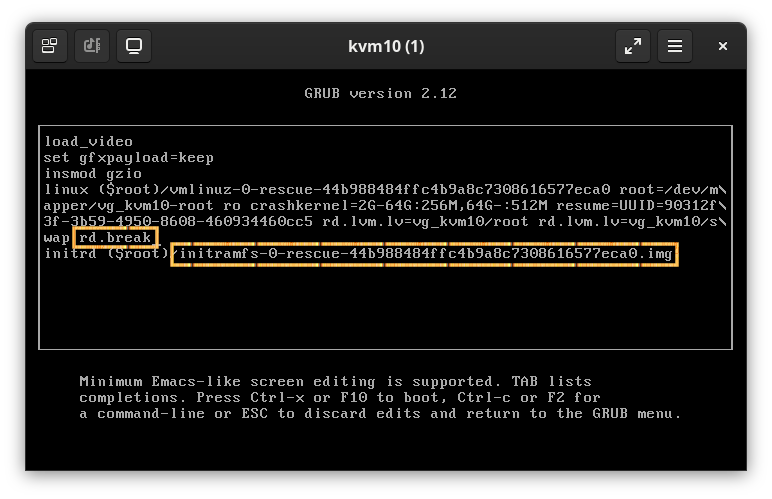
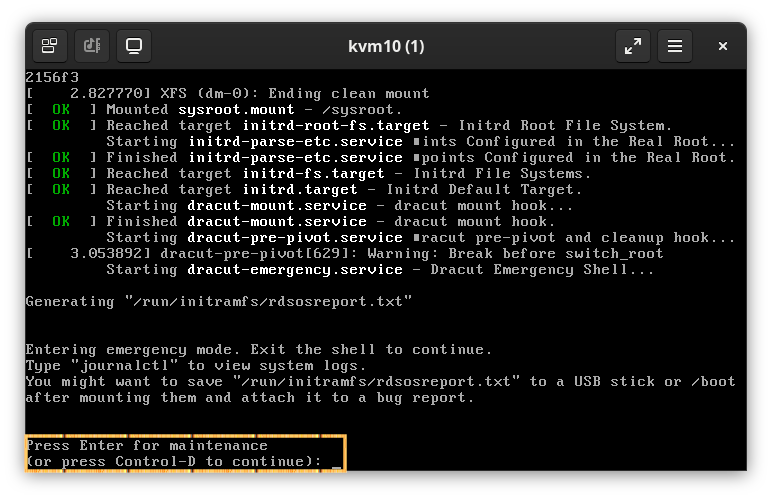
sh-5.2# mount -oremount,rw /sysroot
sh-5.2# /sysroot/usr/sbin/chroot /sysroot
sh-5.2# passwd
sh-5.2# touch /.autorelabel
    sh-5.2# exit
	exit
    sh-5.2#
sh-5.2# exit